
⬟ SL5 Aura – Your Voice. Your Rules.





100% offline, privacy-first voice assistant framework.
Define exactly what your voice does — from a single word
to full Python scripts. No cloud. No data leaves your machine.
Runs in terminal, browser, or as a background service — on Linux, macOS, and Windows.
👵 Beginner |
🎓 Learner |
🧑💻 Developer |
|---|---|---|
grandma-mode : just write a word, Aura does the rest |
Learn with Koans — one concept at a time |
Full Python scripting, plugins, API calls |
🗄️ State Management |
Trino + Airflow orchestration, fzf, CopyQ, voice/terminal commands, browser UIs |
⚡ ~2.87 J per test (39 tests without LanguageTool across >800 maps @ 0.07s warm / 0.36s cold 🌿 measured with Eco-CI) · no cloud compute
⚡ Full test suite: 94 tests with LanguageTool across >800 maps @ 0.07s warm / 0.46s cold · no cloud compute
Quick Start
Quick Start
Option A: 1-Click & Web Installer (Recommended)
One-liner command or standalone installer for Linux, macOS, and Windows:
Option B: Manual Installation (Developers / Git)
Download or clone this repository
Run the setup script for your OS (see
setup/folder):Linux (Arch/Manjaro):
bash setup/manjaro_arch_setup.shLinux (Ubuntu/Debian):
bash setup/ubuntu_setup.shLinux (openSUSE):
bash setup/suse_setup.shLinux (NixOS):
nix-shell setup/shell.nixthenbash setup/nixos_setup.sh===> ⚠️ Experimental — untested by authors, feedback welcome!macOS:
bash setup/macos_setup.shWindows:
setup/windows11_setup_with_ahk_copyq.bat
Start Aura:
./scripts/restart_venv_and_run-server.shPress your hotkey and speak — full guide →
Uninstallation
To remove SL5 Aura background services, autostart entries, and virtual environments:
Linux / macOS:
bash setup/uninstall.shWindows (PowerShell):
powershell -File setup/uninstall.ps1(Your custom rules inconfig/maps/are kept safe by default unless you specify--purge).
⚠️ System Requirements & Compatibility
Windows: ✅ Fully supported (uses AutoHotkey/PowerShell).
macOS: ✅ Fully supported (uses AppleScript).
Linux (X11/Xorg): ✅ Fully supported.
Linux (Wayland): ✅ Fully supported (tested on KDE Plasma 6 / Wayland).
Linux (CachyOS / Arch-based rolling release): ✅ Fully supported. Requires mimalloc (
sudo pacman -S mimalloc) due to glibc 2.43 compatibility.Linux (NixOS): 🧪 Experimental — community-contributed setup, not yet tested. If you try it, please open an issue or PR with your findings!
Linux (Manjaro): New : A system-wide hotkey opens an fzf-like, keyboard-driven interface so you can run Aura commands from anywhere on the desktop (completely decoupled from the active window). This hotkey-driven launcher is currently implemented and tested on Linux (Manjaro); other distributions may work but require the setup . See in 👉 docs/Feature_Spotlight/CopyQ_Shortcut_Super_s.md
SL5 Aura is a complete, offline voice assistant built on Vosk (for Speech-to-Text) and LanguageTool (for Grammar/Style), featuring an optional Local LLM (Ollama) Fallback for creative responses and advanced fuzzy matching. It transforms your voice into precise actions and text, designed for ultimate customization through a pluggable rule system and a dynamic scripting engine.
Translations: This document also exists in other languages.
Note: Many texts are machine-generated translations of the original English documentation and are intended for general guidance only. In case of discrepancies or ambiguities, the English version always prevails. We welcome help from the community to improve this translation!
Demo
📺 Terminal Demo

Tip: For a better terminal experience, see Zsh Integration.
🎥 Video Tutorial
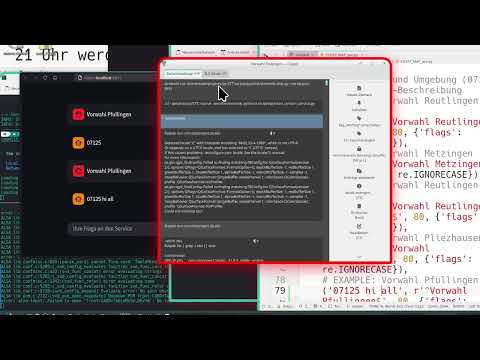
(Alternative link: skipvids.com)
Key Features
Key Features
Offline & Private: 100% local. No data ever leaves your machine.
Dynamic Scripting Engine: Go beyond text replacement. Rules can execute custom Python scripts (
on_match_exec) to perform advanced actions like calling APIs (e.g., search Wikipedia), interacting with files (e.g., manage a to-do list), or generating dynamic content (e.g., a context-aware email greeting).Context-Aware Rules: Restrict rules to specific applications. Using
only_in_windows, you can ensure a rule only triggers if a specific window title (e.g., “Terminal”, “VS Code” or “Browser”) is active. This works cross-platform (Linux, Windows, macOS).High-Control Transformation Engine: Implements a configuration-driven, highly customizable processing pipeline. Rule priority, command detection, and text transformations are determined purely by the sequential order of rules in the Fuzzy Maps, requiring configuration, not coding.
Conservative RAM Usage: Intelligently manages memory, preloading models only if enough free RAM is available, ensuring other applications (like your PC games) always have priority.
Cross-Platform: Works on Linux, macOS, and Windows.
Fully Automated: Manages its own LanguageTool server (but you can also use an external one).
Blazing Fast: Intelligent caching ensures instant “Listening…” notifications and fast processing.
Dynamic State Management via Trino: Interface-aware configuration engine separates settings for
speech,terminal, andweb— change one without affecting the others. Includes a real-time Admin Dashboard (port 8084).
🔌 Ready-to-Use Integrations
🔌 Ready-to-Use Integrations
SL5-Aura comes with a vast ecosystem of over 100+ pre-configured plugins. Here are some highlights:
OculiX / SikuliX IDE Voice Control
SL5-Aura provides first-class voice support for the OculiX and SikuliX IDE. This integration allows you to “speak” your automation code.
Voice-to-Snippet: Say “click”, “wait”, or “find all”, and the service instantly types the correct Python code (e.g.,
click("image.png")) into the IDE.Window-Aware: The plugin is context-sensitive; it only activates when the OculiX/SikuliX window is focused.
Smart English Support: Optimized for
en-USwith a special focus on non-native accents (e.g., German-English phonetics), ensuring high recognition accuracy for the global community.Extensible: Uses the easy-to-edit
FUZZY_MAP_pre.pyformat.
Status: Recognized as a community-plugin by the OculiX team (see Issue #204).
LibreOffice IDE Voice Control
0 A.D. Voice Control
Documentation
Documentation
🔍 Interactive Search (Algolia)
For a complete technical reference, including all modules and scripts, please visit our official documentation page. It is automatically generated and always up-to-date.
🇬🇧 English | 🇸🇦 العربية | 🇩🇪 Deutsch | 🇪🇸 Español | 🇫🇷 Français | 🇮🇳 हिन्दी | 🇯🇵 日本語 | 🇰🇷 한국어 | 🇵🇱 Polski | 🇵🇹 Português | 🇧🇷 Português Brasil | 🇨🇳 简体中文
Feature Spotlights
Interactive Rule Search & Run — Dual-pane
fzfrule search, live context previews, instant command execution viaEnter/Ctrl+R, and editor integration viaCtrl+E. Supported by a global hotkey (Super+S) and multiple dedicated search-environments pre-configured via voice commands.
Build Status






👉 Read this in other languages:
🇬🇧 English | 🇸🇦 العربية | 🇩🇪 Deutsch | 🇪🇸 Español | 🇫🇷 Français | 🇮🇳 हिन्दी | 🇯🇵 日本語 | 🇰🇷 한국어 | 🇵🇱 Polski | 🇵🇹 Português | 🇧🇷 Português Brasil | 🇨🇳 简体中文
Installation
Installation
🎥 Quick Installation without moderation (Manjaro/Arch Video)
Watch the full 6-minute setup process:
Download: ~3 minutes
Setup & First Start: ~3 minutes (including Welcome Wizard)
👉 SL5 Aura Installation Live-Demo on YouTube
The setup is a two-step process:
Download the latest Release or master ( https://github.com/sl5net/SL5-aura-service/archive/master.zip ) or clone this repository to your computer.
Run the one-time setup script for your operating system.
The setup scripts handle everything: system dependencies, Python environment, and downloading the necessary models and tools (~4GB) directly from our GitHub Releases for maximum speed.
For Linux, macOS, and Windows (with Optional Language Exclusion)
To save disk space and bandwidth, you can exclude specific language models (de, en) or all optional models (all) during setup. Core components (LanguageTool, lid.176) are always included.
Open a terminal in the project’s root directory and run the script for your system:
# For Ubuntu/Debian, Manjaro/Arch, macOS, or other derivatives
# (Note: Use bash or sh to execute the setup script)

bash setup/{your-os}_setup.sh [OPTION]

# For Arch-based systems (Manjaro, CachyOS, EndeavourOS, etc.):
`bash setup/manjaro_arch_setup.sh`

```sudo pacman -S mimalloc```


# Examples:
# Install everything (Default):
# bash setup/manjaro_arch_setup.sh

# Exclude German models:
# bash setup/manjaro_arch_setup.sh exclude=de

# Exclude all VOSK language models:
# bash setup/manjaro_arch_setup.sh exclude=all

# For Windows in an Admin-Powershell session

setup/windows11_setup.ps1 -Exclude [OPTION]

# Examples:
# Install everything (Default):
# setup/windows11_setup.ps1

# Exclude English models:
# setup/windows11_setup.ps1 -Exclude "en"

# Exclude German and English models:
# setup/windows11_setup.ps1 -Exclude "de,en"

# Or (recommend) - Run the BAT file:
windows11_setup.bat -Exclude "en"
For Windows
Run the setup script with administrator privileges.
Install a tool to read and run, e.g., CopyQ or AutoHotkey v2. This is required for the text-typing watcher.
The installation is fully automated and takes about 8-10 minutes when using 2 Models on a fresh system.
Navigate to the
setupfolder.Double-click on
windows11_setup_with_ahk_copyq.bat.The script will automatically prompt for Administrator privileges.
It installs the Core System, Language Models, AutoHotkey v2, and CopyQ.
Once the installation is complete, Aura Dictation will launch automatically.
Note: You do not need to install Python or Git beforehand; the script handles everything.
Advanced / Custom Installation
If you prefer not to install the client tools (AHK/CopyQ) or want to save disk space by excluding specific languages, you can run the core script via the command line:
# Core Setup only (No AHK, No CopyQ)
setup/windows11_setup_with_ahk_copyq.bat

# Exclude specific language models (saves space):
# Exclude English:
setup/windows11_setup_with_ahk_copyq.bat -Exclude "en"

# Exclude German and English:
setup/windows11_setup_with_ahk_copyq.bat -Exclude "de,en"
Usage
Usage
1. Start the Services
On Linux & macOS
A single script handles everything. It starts the main dictation service and the file watcher automatically in the background.
# Run this from the project's root directory
./scripts/restart_venv_and_run-server.sh
On Windows
Starting the service is a two-step manual process:
Start the Main Service: Run
start_aura.bat. or start from.venvthe service withpython3
2. Configure Your Hotkey
To trigger dictation, you need a global hotkey that creates a specific file. We highly recommend the cross-platform tool CopyQ.
Our Recommendation: CopyQ
Create a new command in CopyQ with a global shortcut.
Command for Linux/macOS:
touch /tmp/sl5_record.trigger
Command for Windows when use CopyQ:
copyq:
var filePath = 'c:/tmp/sl5_record.trigger';

var f = File(filePath);

if (f.openAppend()) {
    f.close();
} else {
    popup(
        'error',
        'cant read or open:\n' + filePath
        + '\n' + f.errorString()
    );
}
Command for Windows when use AutoHotkey:
; trigger-hotkeys.ahk
; AutoHotkey v2 script
#SingleInstance Force ; Ensures only one instance of the script runs

;===================================================================
; Hotkey to trigger Aura
; Press Ctrl + Alt + T to write the trigger file.
;===================================================================
f9::
f10::
f11::
{
    local TriggerFile := "c:\tmp\sl5_record.trigger"
    FileAppend("t", TriggerFile)
    ToolTip("Aura Trigger activated!")
    SetTimer(() => ToolTip(), -1500)
}
3. Start Dictating!
Click in any text field, press your hotkey, and a “Listening…” notification will appear. Speak clearly, then pause. The corrected text will be typed for you.
Advanced Configuration (Optional)
Advanced Configuration (Optional)
You can customize the application’s behavior by creating a local settings file.
Navigate to the
config/directory.Create a copy of
config/settings_local.py_Example.txtand rename it toconfig/settings_local.py.Edit
config/settings_local.py(it overrides any setting from the mainconfig/settings.pyfile).
This config/settings_local.py file is ignored by Git by default, so your personal changes won’t be overwritten by updates.
Plug-in Structure and Logic
The system’s modularity allows for robust extension via the plugins/ directory.
The processing engine strictly adheres to a Hierarchical Priority Chain:
Module Loading Order (High Priority): Rules loaded from core language packs (de-DE, en-US) take precedence over rules loaded from the plugins/ directory (which load last alphabetically).
In-File Order (Micro Priority): Within any given map file (FUZZY_MAP_pre.py), rules are processed strictly by line number (top-to-bottom).
This architecture ensures that core system rules are protected, while project-specific or context-aware rules (like those for CodeIgniter or game controls) can be easily added as low-priority extensions via plug-ins.
Key Scripts for Windows Users
Key Scripts for Windows Users
Here is a list of the most important scripts to set up, update, and run the application on a Windows system.
Setup & Update
chmod +x update.sh; ./update.shsetup/setup.bat: The main script for the initial one-time setup of the environment.or
Run powershell -Command "Set-ExecutionPolicy -ExecutionPolicy Bypass -Scope Process -Force; .\setup\windows11_setup.ps1"update.bat: Run this from the project folder to get the latest code and dependencies.
Running the Application
start_aura.bat: A primary script to start the dictation service.
Core & Helper Scripts
aura_engine.py: The core Python service (usually started by one of the scripts above).get_suggestions.py: A helper script for specific functionalities.
🚀 Key Features & OS Compatibility
Legend for OS Compatibility
Legend for OS Compatibility:
🐧 Linux (e.g., Arch, Ubuntu)
🍏 macOS
🪟 Windows
📱 Android (for mobile-specific features)
Core Speech-to-Text (Aura) Engine
Our primary engine for offline speech recognition and audio processing.
Aura-Core
**Aura-Core/** 🐧 🍏 🪟 ├─ `aura_engine.py` (Main Python service orchestrating Aura) 🐧 🍏 🪟 ├┬ **Live Hot-Reload** (Config & Maps) 🐧 🍏 🪟 │├ **Secure Private Map Loading (Integrity-First)** 🔒 🐧 🍏 🪟 ││ * **Workflow:** Loads password-protected ZIP archives. │├ **Text Processing & Correction/** Grouped by Language ( e.g. `de-DE`, `en-US`, ... ) │├ 1. `normalize_punctuation.py` (Standardizes punctuation post-transcription) 🐧 🍏 🪟 │├ 2. **Intelligent Pre-Correction** (`FuzzyMap Pre` - [The Primary Command Layer](docs/CreatingNewPluginModules.md)) 🐧 🍏 🪟 ││ * **Dynamic Script Execution:** Rules can trigger custom Python scripts (`on_match_exec`) to perform advanced actions like API calls, file I/O, or generate dynamic responses. ││ * **Cascading Execution:** Rules are processed sequentially and their effects are **cumulative**. Later rules apply to text modified by earlier rules. ││ * **Highest Priority Stop Criterion:** If a rule achieves a **Full Match** (^...$), the entire processing pipeline for that token stops immediately. This mechanism is critical for implementing reliable voice commands. │├ 3. `correct_text_by_languagetool.py` (Integrates LanguageTool for grammar/style correction) 🐧 🍏 🪟 │├ **4. Hierarchical RegEx-Rule-Engine with Ollama AI Fallback** 🐧 🍏 🪟 ││ * **Deterministic Control:** Uses RegEx-Rule-Engine for precise, high-priority command and text control. │├ **Vector-Search Plugin** (Lazy loading): Enables Semantic Search by connecting local Vector embeddings with the Ollama/LLM fallback layer 🐧 ││ * **Ollama AI (Local LLM) Fallback:** Serves as an optional, low-priority check for **creative answers, Q&A, and advanced Fuzzy Matching** when no deterministic rule is met. ││ * **Status:** Local LLM integration. │└ 5. **Intelligent Post-Correction** (`FuzzyMap`)**– Post-LT Refinement** 🐧 🍏 🪟 ││ * Applied after LanguageTool to correct LT-specific outputs. Follows the same strict cascading priority logic as the Pre-Correction layer. ││ * **Dynamic Script Execution:** Rules can trigger custom Python scripts ([on_match_exec](docs/advanced-scripting.md)) to perform advanced actions like API calls, file I/O, or generate dynamic responses. ││ * **Fuzzy Fallback:** The **Fuzzy Similarity Check** (controlled by a threshold, e.g., 85%) acts as the lowest priority error-correction layer. It is only executed if the entire preceding deterministic/cascading rule run failed to find a match (current_rule_matched is False), optimizing performance by avoiding slow fuzzy checks whenever possible. ├┬ **Model Management/** │├─ `prioritize_model.py` (Optimizes model loading/unloading based on usage) 🐧 🍏 🪟 │└─ `setup_initial_model.py` (Configures the first-time model setup) 🐧 🍏 🪟 ├─ **Adaptive VAD Timeout** 🐧 🍏 🪟 ├─ **Adaptive Hotkey (Start/Stop)** 🐧 🍏 🪟 ├─ **Instant Language Switching** (Experimental via model preloading) 🐧 🍏 ├─ **Airflow Orchestration** (DAG-based workflow automation) 🐧 🍏 🪟 │ Requires Docker · UI: `http://localhost:8081` 🐧 🍏 🪟 ├─ **Trino State Engine** (Interface-aware config per speech/terminal/web) 🐧 🍏 🪟 └─ Requires Docker · Admin UI: `http://localhost:8084` 🐧 🍏 🪟SystemUtilities/
├┬ LanguageTool Server Management/
│├─ start_languagetool_server.py (Initializes the local LanguageTool server) 🐧 🍏 🪟
│└─ stop_languagetool_server.py (Shuts down the LanguageTool server) 🐧 🍏
├─ monitor_mic.sh (e.g. for use with Headset without use keyboard and Monitor) 🐧 🍏 🪟
Model & Package Management
Tools for robust handling of large language models.
ModelManagement/ 🐧 🍏 🪟
├─ Robust Model Downloader (GitHub Release chunks) 🐧 🍏 🪟
├─ split_and_hash.py (Utility for repo owners to split large files and generate checksums) 🐧 🍏 🪟
└─ download_all_packages.py (Tool for end-users to download, verify, and reassemble multi-part files) 🐧 🍏 🪟
Development & Deployment Helpers
Development & Deployment Helpers
Scripts for environment setup, testing, and service execution.
Tip: glogg enables you to use regular expressions to search for interesting events in your log files.
Please check the checkbox when installing to associate with log-files.
https://glogg.bonnefon.org/
Tip: After defining your regex patterns, run python3 tools/map_tagger.py to automatically generate searchable examples for the CLI tools. See Map Maintenance Tools for details.
Then maybe double-click
log/aura_engine.log
DevHelpers/
├┬ Virtual Environment Management/
│├ scripts/restart_venv_and_run-server.sh (Linux/macOS) 🐧 🍏
│└ scripts/restart_venv_and_run-server.ahk (Windows) 🪟
├┬ System-wide Dictation Integration/
│├ Vosk-System-Listener Integration 🐧 🍏 🪟
│├ scripts/monitor_mic.sh (Linux-specific microphone monitoring) 🐧
│└ scripts/type_watcher.ahk (AutoHotkey listens for recognized text and types it out system-wide) 🪟
└─ CI/CD Automation/
└─ Expanded GitHub Workflows (Installation, testing, docs deployment) 🐧 🍏 🪟 (Runs on GitHub Actions)
Experimental Features
Upcoming / Experimental Features
Features currently under development or in draft status.
ExperimentalFeatures/
├─ ENTER_AFTER_DICTATION_REGEX Example activation rule “(ExampleAplicationThatNotExist|Pi, your personal AI)” 🐧
├┬Plugins
│╰┬ Live Lazy-Reload (*) 🐧 🍏 🪟
(Changes to Plugin activation/deactivation, and their configurations, are applied on the next processing run without service restart.)
│ ├ git commands (Voice control for send git commands) 🐧 🍏 🪟
│ ├ wannweil (Map for Location Germany-Wannweil) 🐧 🍏 🪟
│ ├ Poker Plugin (Draft) (Voice control for poker applications) 🐧 🍏 🪟
│ └ 0 A.D. Plugin (Draft) (Voice control for 0 A.D. game) 🐧
├─ Sound Output when Start or End a Session (Description pending) 🐧
├─ Speech Output for Visually Impaired (Description pending) 🐧 🍏 🪟
└─ SL5 Aura Android Prototype (Not fully offline yet) 📱
(Note: Specific Linux distributions like Arch (ARL) or Ubuntu (UBT) are covered by the general Linux 🐧 symbol. Detailed distinctions might be covered in installation guides.)
Click to see the command used to generate this script list
{ find . -maxdepth 1 -type f \( -name "aura_engine.py" -o -name "get_suggestions.py" \) ; find . -path "./.venv" -prune -o -path "./.env" -prune -o -path "./backup" -prune -o -path "./LanguageTool-6.6" -prune -o -type f \( -name "*.bat" -o -name "*.ahk" -o -name "*.ps1" \) -print | grep -vE "make.bat|notification_watcher.ahk"; }
A graphical overview of the architecture
A graphical overview of the architecture:


Used Models
Used Models:
Recommendation: use models from Mirror https://github.com/sl5net/SL5-aura-service/releases/tag/v0.2.0.1 (probably faster)
These zipped models must be saved into models/ folder
mv vosk-model-*.zip models/
Model |
Size |
Word error rate/Speed |
Notes |
License |
|---|---|---|---|---|
1.8G |
5.69 (librispeech test-clean) |
Accurate generic US English model |
Apache 2.0 |
|
1.9G |
9.83 (Tuda-de test) |
Big German model for telephony and server |
Apache 2.0 |
This table provides an overview of different Vosk models, including their size, word error rate or speed, notes, and license information.
Vosk-Models: Vosk-Model List
LanguageTool:
(6.6) https://languagetool.org/download/
License of LanguageTool: GNU Lesser General Public License (LGPL) v2.1 or later
Support the Project
If you find this tool useful, please consider buying us a coffee! Your support helps fuel future improvements.
